Day View
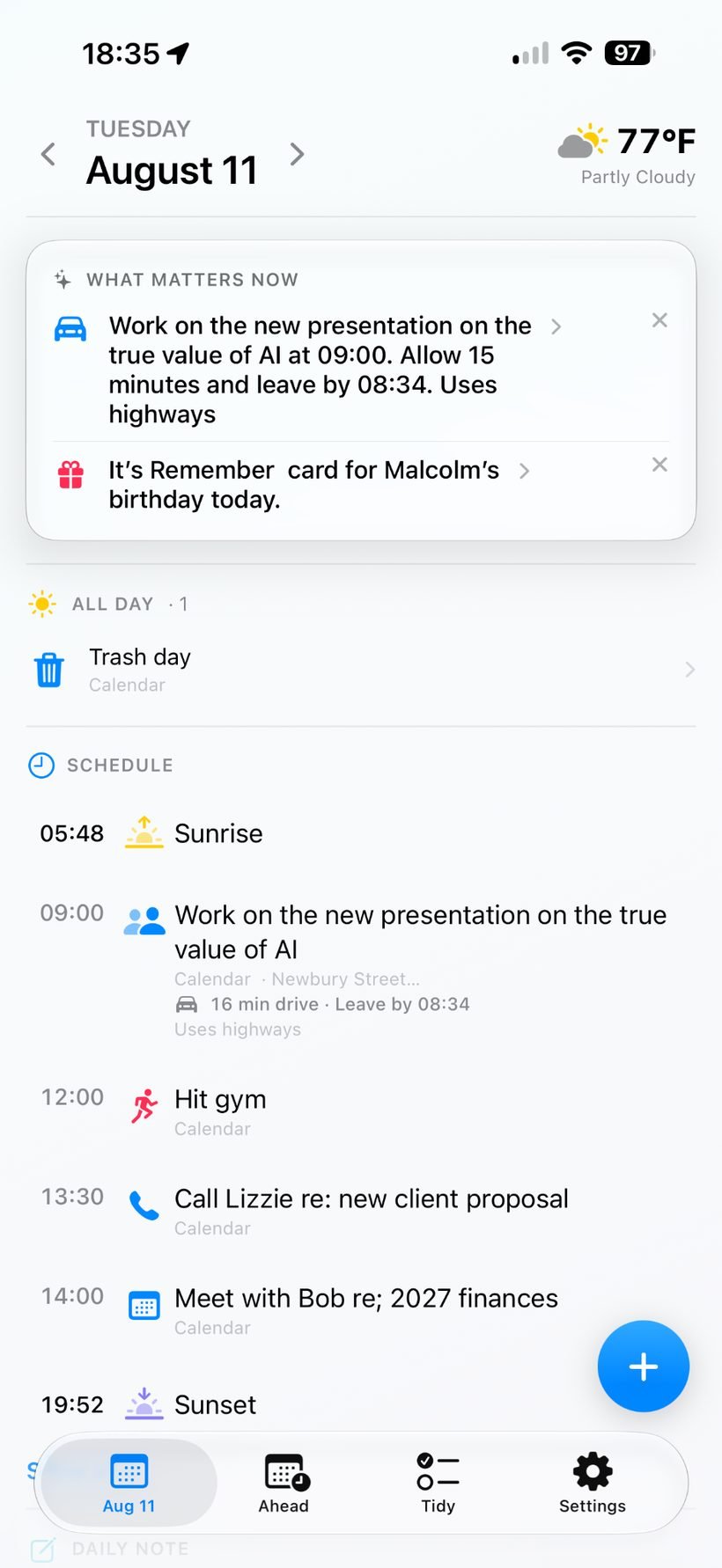
A clear overview of what matters now, all-day items and the day’s schedule.
One calm view of what matters today.
MyDay brings your schedule, reminders, weather, travel, activity and notes together in one clear daily surface. You choose what it can see, and your events and reminders stay in the Apple apps where they already live.
Calendar, Reminders, Weather, Health and Notes each do their own job well. The problem is that understanding today often means hopping between several apps. MyDay pulls together only the sources you choose, so you can understand the day quickly and then jump back to the native Apple app when action is needed.
MyDay is designed to reduce context switching without taking ownership of your data. You decide what sources to connect, and native Apple apps remain authoritative.
These screens show how MyDay balances schedule, context and action without overwhelming the day with too much detail at once.
A clear overview of what matters now, all-day items and the day’s schedule.
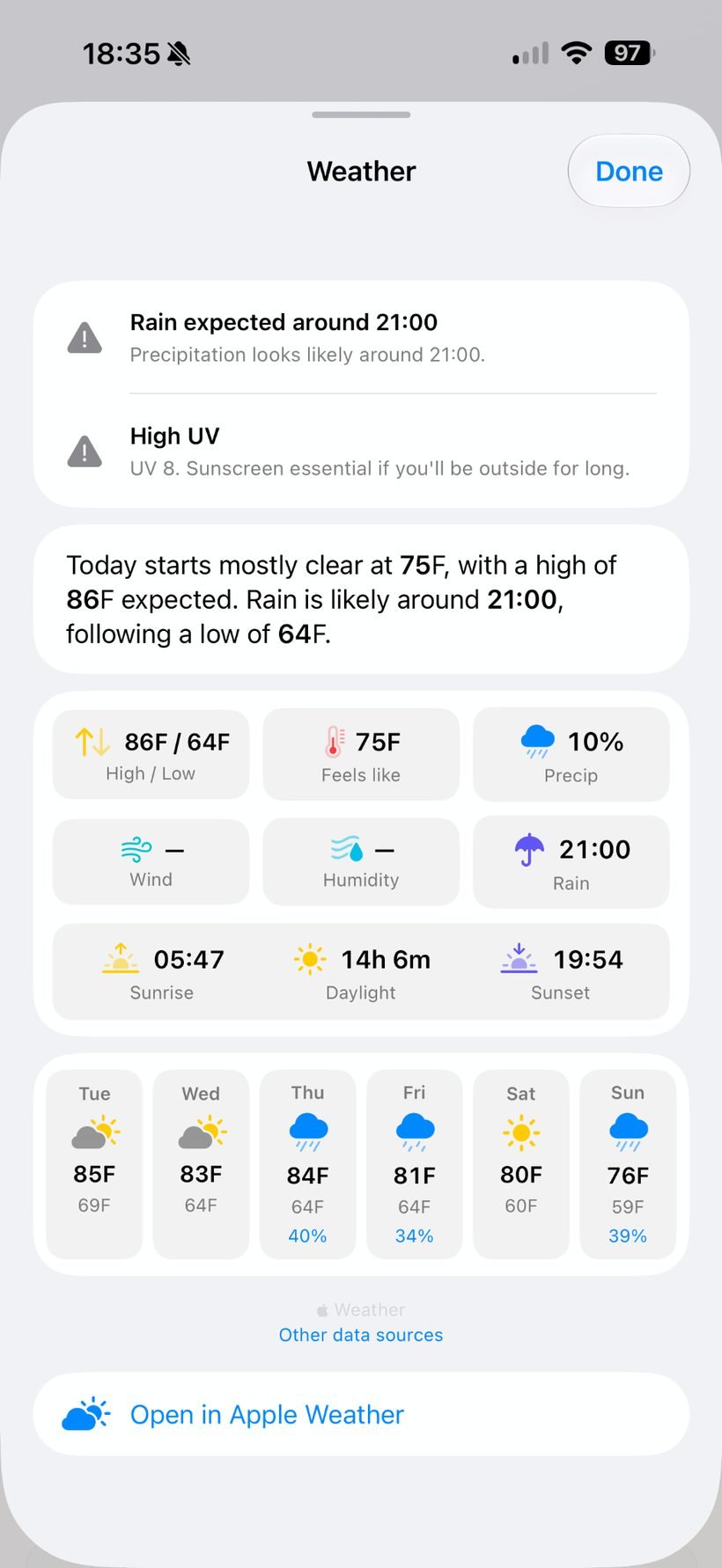
Open a richer weather view for forecast detail, likely rain, temperature and the week ahead.
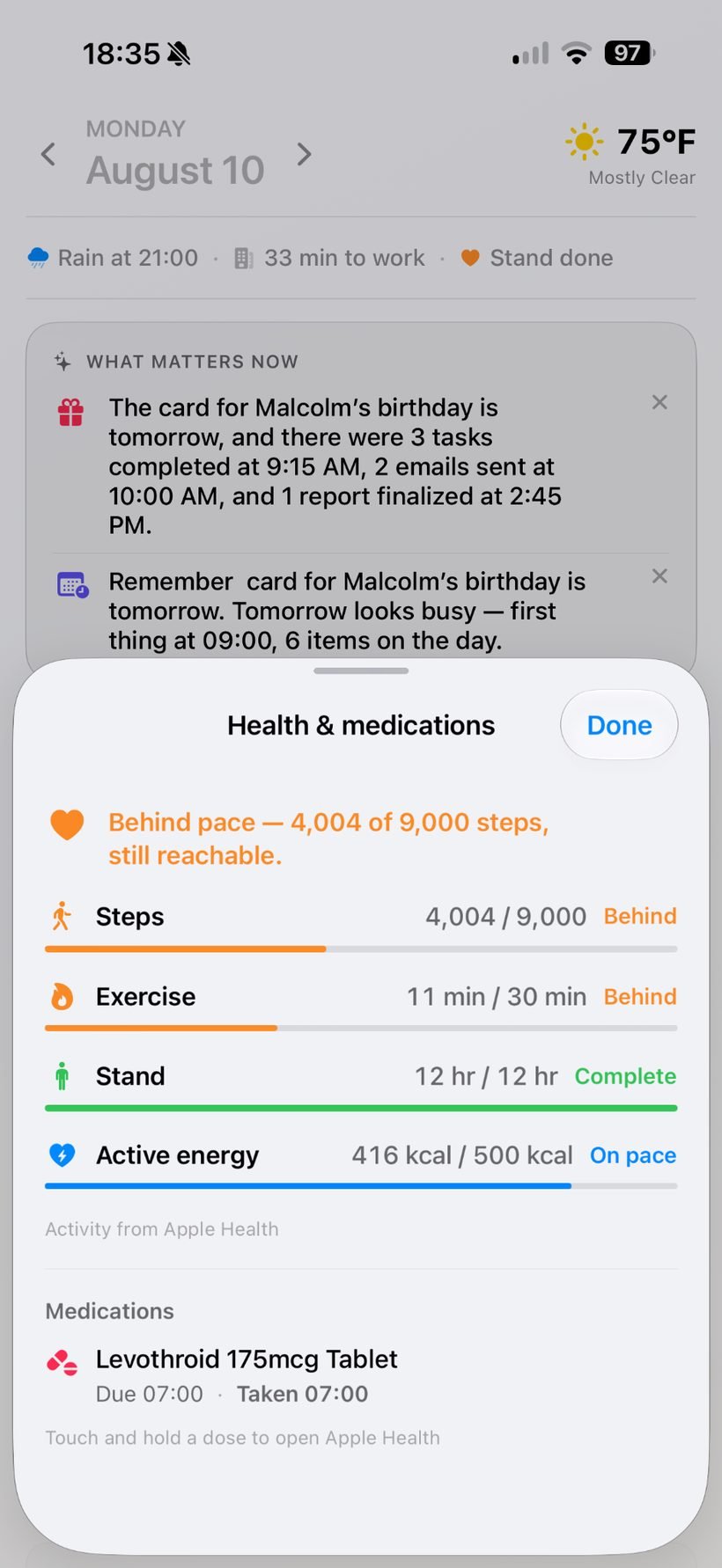
Bring in selected activity and medication context from Apple Health when it helps the day make more sense.
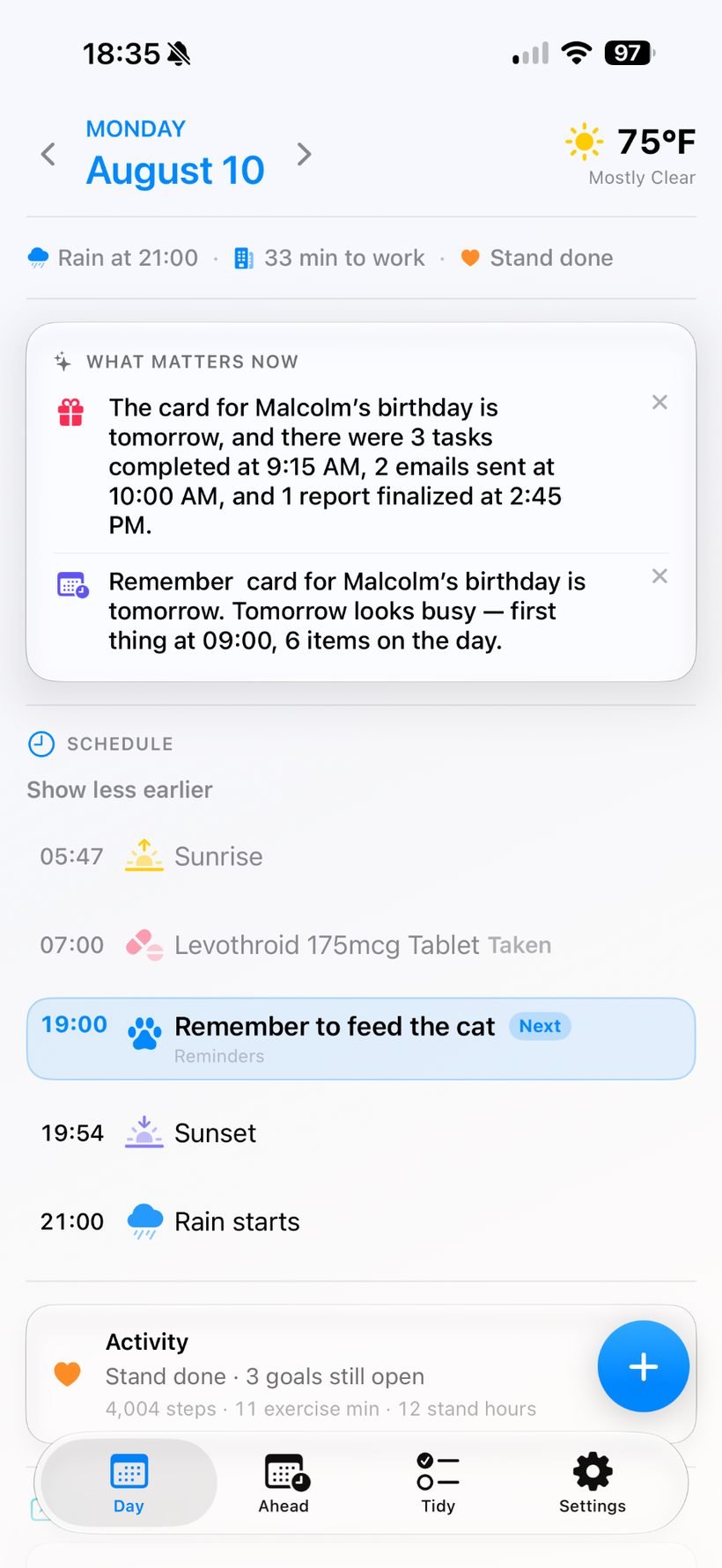
See a broader overview that combines day context, schedule and activity progress on one screen.
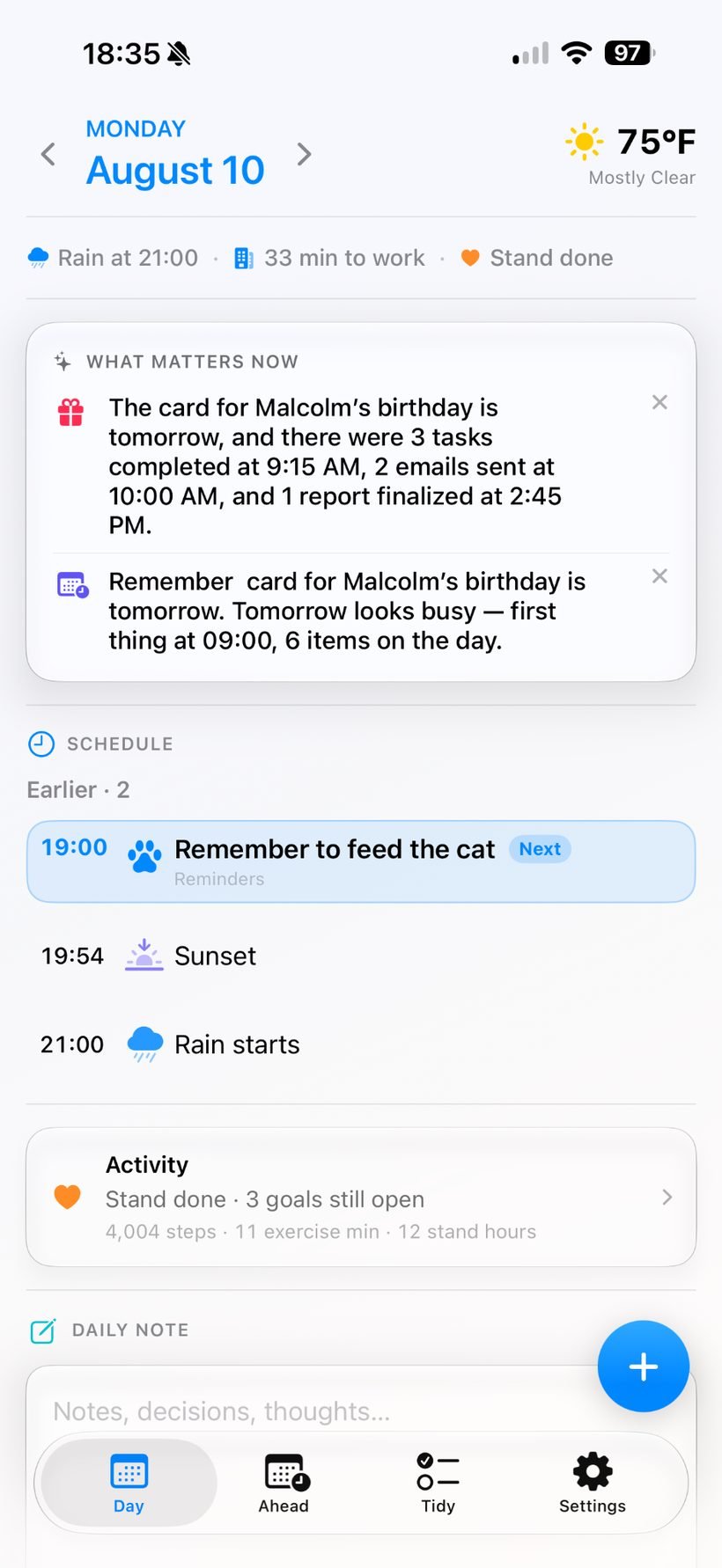
Collapse earlier items and focus on what is next, alongside activity context and a Daily Note.
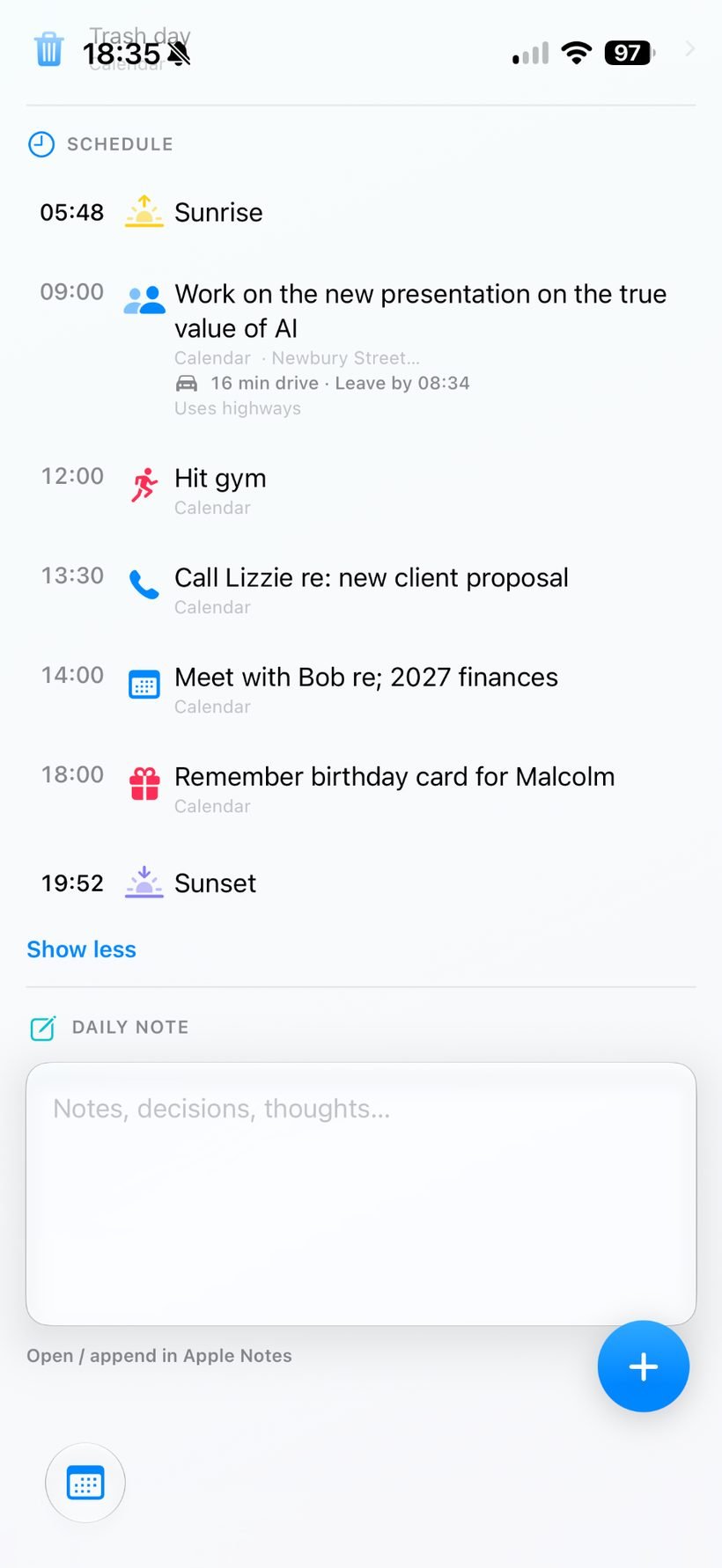
Stay close to the timeline of the day while keeping space for notes, decisions and thoughts.
MyDay is designed for people whose days span meetings, reminders, travel, weather and personal context, but who don’t want to rebuild their life — or hand over more data than necessary — to a new productivity system.
Permissions are deliberately user-controlled. Choose the calendars and reminder lists you want MyDay to surface. Health is optional, and access is limited to the supported categories you choose to permit.
Your data does not need to be migrated into MyDay. Events remain Calendar events, reminders remain Reminders, health information remains in Apple Health, and Daily Notes remain in Apple Notes.
Visit the MyDay support page for help with permissions, widgets, weather, health access and other app features, or email us directly.
You choose which calendars and reminder lists MyDay can surface, and Health features are optional. MyDay is designed to work with native Apple data rather than copying your life into a separate service: events stay in Calendar, reminders stay in Reminders, health information stays in Apple Health, and Daily Notes stay in Apple Notes.